
unitop – the end-to-end software solution for your sector
Innovating. Transforming. Succeeding.
We make technology usable: as a Microsoft Solutions Partner, we combine technological excellence with deep industry expertise to digitalise your processes and optimise them sustainably – together with you. unitop is based on Microsoft Dynamics 365 Business Central and is enhanced with integrated, sector-specific functionality – extendable via the right licence packages.
Stable at its core. Bold for the future.
unitop industry solutions at a glance
unitop is at home in a wide range of sectors – from industry and trade to organisations, educational institutions and pension provision.
Thanks to its modular expandability, hybrid set-ups are not only possible, but easy to implement: for example, if you operate primarily in the industrial sector but also need to map trade-specific processes, you can combine both within one integrated solution.
Industry-specific ERP solutions for industry & trade
Our ERP solutions are tailored to the specific requirements of industrial and trading companies. Whether complex manufacturing processes or dynamic trading structures: for industry and trade, unitop is the basis for seamless, scalable processes.

Industry
unitop supports manufacturing companies with sector-focused processes based on Microsoft Dynamics 365 Business Central. From costing through to integrated quality assurance, you gain transparency, standardise workflows and increase the scalability of your production. Top benefits: 1. Tool management & costing; 2. Integrated quality assurance; 3. Scaling & automation in manufacturing
Discover our solutions

Trading industry
From purchasing and warehousing/logistics through to sales across multiple channels (multichannel): with our unitop solutions for trading companies, you digitalise your supply chain within one integrated system. This gives you transparency across stock levels, availability and figures – and speeds up day-to-day processes. Top benefits: 1. One system for the supply chain; 2. Integration of channels & processes; 3. BI & Microsoft 365 seamlessly connected
Discover our solutions
Software solutions for membership organisations (associations or clubs)
When administration, membership processes, portals and finance need to work together smoothly, an integrated solution is key. unitop maps core tasks end to end – with a shared data foundation and high scalability.

Associations & clubs
As a holistic association software solution, unitop maps administrative tasks end to end in one system – including integrated financial accounting and automated membership management. A central data foundation ensures transparency, better data quality and more efficient workflows across all areas. Top benefits: 1. Membership management incl. fee logic; 2. Central data foundation & duplicate checking; 3. Portal connection via interface (real time)
Discover our solution
Further sector-specific unitop solutions
Depending on the organisation, different priorities take centre stage – for example donation processes, seminar administration or complete inventory management over long lifecycles. unitop provides proven, sector-specific functionality for exactly that – integrated, analysable and expandable.

Foundations & donation organisations
From (online) donations and receipts through to analysis: our holistic fundraising software solution unitop brings donation management and finance together in one end-to-end system. With a 360° view and campaign control, you strengthen loyalty and professionalism along the donor journey. Top benefits: 1. Donations & financial accounting seamlessly integrated; 2. Campaign management with a 360° view; 3. Automatic capture of (online) donations
Discover our solution

Pension schemes & pension funds
unitop enables pension institutions to manage members and pensioners across the entire lifecycle – from joining through to pension payments. Integrated interfaces and traceable payment flows deliver security and efficiency in day-to-day processing. Top benefits: 1. Full lifecycle mapped – from entitlement to pension payment; 2. Statutory interfaces integrated; 3. Audited payment flows & AI-powered relief
Discover our solution

The voice of #TeamGOB
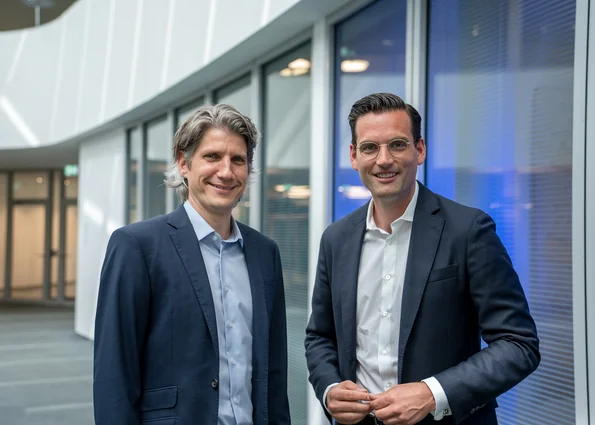
Join hundreds of satisfied customers: unitop stands for trust – by SMEs, for SMEs. Because trust is the foundation of successful collaboration. Rely on our many years of experience and our solid industry expertise.
Tim Bellen & Robert Küpper, Managing Directors
GOB Software & Systeme GmbH & Co. KG
unitop in 90 seconds
Get to know our unitop industry solutions better
Discover how unitop is structured, how the solution can be expanded – and why companies and organisations choose unitop when everything needs to work seamlessly together: processes, data and collaboration.